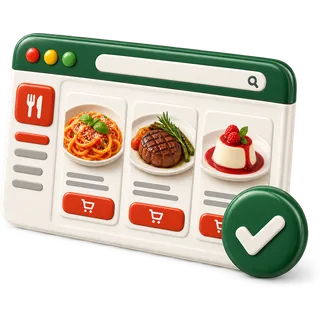
Built the moment you add a dish
Your menu is already your online store
Every plan includes an online store built from your POS menu. The products, prices, photos, modifiers and stock you set for the dining room become an ordering page and a QR table menu automatically. Orders land on the kitchen screen like any other ticket, and we take no commission on them.
Casa Seoul Kitchen
Open · pickup & delivery
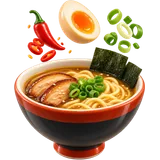 Spicy miso ramen$16
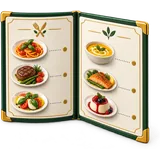 Bulgogi platter$24
 Phở tái$15
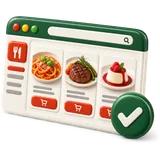 Tacos al pastor$14
Menu in, store out
You type a dish once. It appears on the POS, the kitchen screen, the QR menu and the online store.
What the store does on its own
Built from your products
Items, prices, photos, categories and stock come straight from the POS. Change a price once and it changes everywhere.
Sold-out sync
86 an item at the POS and it disappears from the online store in the same moment. No more refunds for dishes you ran out of.
Modifiers online
Guests pick sizes, sides, temperatures and add-ons with the same prices and forced choices your servers use.
Pickup and delivery times
Set opening hours, prep time and the time slots you accept for pickup or your own delivery. Pause online orders during a rush.
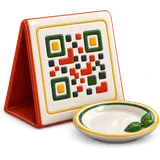
QR table menu
Print a QR code for each table. Guests scan to read the menu on their phone, with photos and allergen notes.
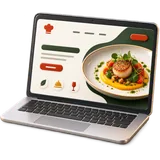
Your own domain option
Use the store address we give you, or point a web address you own to it so guests see your name.
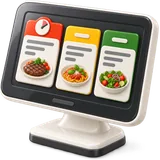
Orders into the kitchen
Online orders appear on the kitchen screen or print at the right station, routed like a dine-in ticket.
No commission
We do not take a percentage of online orders. Card fees from your processor still apply.
When you want more than a store
The online store is built to take orders, not to tell your story. When you want a full restaurant website with your own design, catering and events pages and local search pages, move up to the managed website. It uses the same menu, and its order button sends guests to this store.
Managed website
$59
per month · setup $149
How does the online store get built from my POS menu?
When you add products to the POS, you already give them names, prices, photos, categories, modifiers and stock. The online store reads all of that and lays it out as an ordering page. You choose which items are sold online, set pickup times, and switch the store on. There is no second menu.
Most ordering tools ask you to copy your menu into another system. Then the two menus drift apart. The price on the website is old, the special is missing, and the item you took off the menu is still for sale. Here there is only one menu. The dining room, the kitchen screen and the online store all read from the same products. Edit an item in the back office and every place updates.
You can still hide items from online sale, such as a whole fish that does not travel well, without removing them from the dining room. This also saves time at the pass. When a price changes or a dish is 86'd, nobody has to remember to update the website, the app and the menu board. One edit covers every place guests see your menu.
- One menu for POS, kitchen and store
- Choose which items sell online
- Photos and descriptions from your products
- Store switches on when you are ready
What happens when an online order comes in?
The order appears on the kitchen screen, or prints at the station, just like a dine-in ticket. Each item routes to the right station, such as grill or fryer. When the cooks mark it ready, the front of house sees it on the Orders screen and hands it over at pickup.
Online orders do not need a separate tablet on the counter. They join the same line as table orders, with a clear label so expo knows it is pickup or delivery. The pickup time is shown on the ticket, so the kitchen can hold it until the right moment instead of firing it too early.
If the kitchen falls behind, pause online orders from the POS. Guests see a short notice and can come back later. At close, online orders are counted in the same end-of-day report as dine-in, labelled by channel. You see how many came in, how much they were worth, and which items people order most when they are not at the table.
- Same kitchen routing as dine-in
- Pickup time shown on the ticket
- Pause online orders during a rush
- Orders included in your daily reports
Why does a commission-free store matter?
Delivery apps often take a large percentage of every order. On a busy night that is real money leaving the restaurant. With your own online store, guests order from you directly and we take no commission. You still pay your card processor's normal fees on card payments.
Delivery apps help guests find you, and some owners keep them for that. But regulars who already know you can order direct. Every order that moves from an app to your own store keeps more of the check in your pocket. Print the store's QR code on bags, receipts and table cards. Tell regulars at the table. Over time, more orders come direct.
You also keep the guest's details for your own reward points and gift cards, instead of leaving them with the app. Start small. Put one QR card at each table and a line on every receipt that says guests can order direct. Over a few months, regulars learn the habit, and fewer of your orders pay a delivery app's share.
- No percentage taken by us
- Guest details stay with you
- QR codes for bags and receipts
- Card fees from your processor only
Online store questions
Onboarding desk · usually replies within a business day
Do I have to type my menu again for the online store?
No. The store uses the products you already have in the POS. Prices, photos, categories and modifiers carry over. You only choose which items to sell online and set your pickup hours.
Can guests pay online in the store?
Online payment works with supported payment providers connected to your account. You can also accept pay-at-pickup. We check the options for your country on your demo, because providers differ in the US, UAE and Pakistan.
Can I run my own delivery from the store?
Yes. Turn on delivery, set the areas or distance you cover, a minimum order and a delivery fee. Orders arrive marked as delivery so your driver knows which bag to take.
What does the QR table menu show?
It shows your menu with photos, prices, modifiers and allergen notes on the guest's phone. You print one code per table or one for the whole room. It updates when you change the menu.
Can I hide items from the online store only?
Yes. Each product has a setting for online sale. Hide items that do not travel well or that you only serve in the dining room. They stay on the POS.
Can I use my own web address for the store?
Yes. You can point a domain you own to the store so guests see your restaurant's name. If you do not have one yet, the store works on the address we give you.
How do I stop online orders when the kitchen is slammed?
Pause online ordering from the POS with one switch. Guests see that ordering is paused and can try again later. Switch it back on when the line is clear.
Are online orders in the same reports as dine-in?
Yes. Online orders appear in sales, tax and product reports, labelled by channel. You can see how much came from the store each day and which items sell best online.
Your menu is already your website.
Start the free trial — the store builds itself as you add products.