
“The grill and the banchan station finally see different tickets. Friday nights are quieter in the kitchen, even when the dining room is loud.”
4:30 PM · doors open
Run Friday nighton one screen.
Restaurant POS Studio is the restaurant POS system for sit-down places that get slammed: tables, courses, kitchen screens, tips and split checks in one hosted app — with staff screens in your team's language.
- Free trial, no card
- Month to month, no contract
- Use the tablets you already own
- Your own card processor
TABLE 12 · SEAT 4 · MARISOL
2 Spicy miso ramen
+ soft egg
no scallion
ALLERGY: peanut
1 Bulgogi platter
course 2 · HOLD
1 Tacos al pastor
course 2 · HOLD
1 Flan
course 3
SENT 4:31 PM · GRILL / WOK / COLD
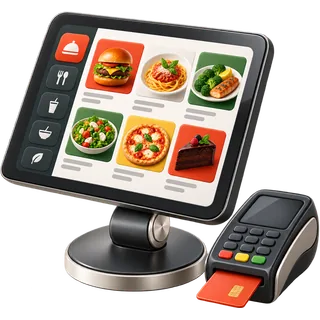
5:10 PM
Table 12 is seated. Everyone can see it.
The floor plan shows every table's status at a glance: open, seated, ordered, fired, check printed. Hosts seat by section, servers see only their tables, and bookings sit on the same map so nobody double-seats the four-top by the window.
- Drag-and-drop tables by room and section
- Status colours plus labels — never colour alone
- Bookings and walk-ins on one floor
- Open
- Seated
- Ordered
- Fired
- Check
Drag to rotate · tap a table
6:20 PM
The order goes in. The cook reads it in Spanish.
Marisol rings it in English. The ticket lands on the grill in Spanish and on the wok station in Chinese, with the allergy flag in red on both. Each staff member picks their own screen language.
- Forced and optional modifiers with prices
- Allergy flags that print in bold
- Per-person interface language
TABLE 12 · GRILL
2 Spicy miso ramen
+ soft egg · no scallion
ALLERGY: PEANUT
2 Ramen miso picante
+ huevo tierno · sin cebollín
ALERGIA: CACAHUATE
2 辣味噌拉面
+ 溏心蛋 · 不要葱
过敏:花生
2 매운 미소 라멘
+ 반숙 계란 · 파 빼고
알레르기: 땅콩
2 Mì ramen miso cay
+ trứng lòng đào · không hành
DỊ ỨNG: ĐẬU PHỘNG
٢ رامن ميسو حار
+ بيض نصف سلق · بدون بصل أخضر
حساسية: فول سوداني
2 اسپائسی میسو رامن
+ ہاف بوائل انڈا · ہری پیاز نہیں
الرجی: مونگ پھلی
#1240 · 6:21 PM · SERVER: MARISOL
7:05 PM
Fire the apps. Hold the mains.
Courses travel with the order. The kitchen sees what is coming, cooks only what is fired, and the server fires course two from the floor when the table is ready — so mains never die in the window.
- Course markers on every ticket
- Fire and hold from the POS
- Rush and re-fire with one tap
Course 1 · AppsFired
- Dumplings ×2
- Elote ×1
Course 2 · MainsHold
- Bulgogi platter
- Tacos al pastor ×2
Course 3 · DessertLater
- Flan ×2
- Mango sticky rice
7:40 PM
Peak rush. No ticket falls off the rail.
The kitchen display routes every item to the right station and ages each ticket on screen. Cooks bump what is cooked; the server sees it ready on their Orders screen. Keep a printer as backup if you like — both work together.
- Station routing: grill, wok, fry, cold, bar
- Ticket timers that turn amber, then red
- Cooked → served status back to the floor
KITCHEN · ALL STATIONS4 open
- T12GRILLC2
- Bulgogi platter
- Galbi ×2
- no sesame
0:00Cooked — on server screen
- T07WOKC1
- Kung pao chicken
- Garlic gai lan
- ALLERGY: peanut
0:00Cooked — on server screen
- T18FRYC1
- Calamari
- Yuca fries ×2
0:00Cooked — on server screen
- ONLINECOLDTO-GO
- Gỏi cuốn ×3
- Green papaya salad
0:00Cooked — on server screen
8:55 PM
Three friends. One check. Three taps.
Split evenly, by seat, by item or by amount — even split a shared plate. Each guest pays their own way on one bill, and the tip follows the right payment.
- Split by seat, item, amount or evenly
- Several payment methods on one bill
- Auto-gratuity for large parties
CHECK #1240 · TABLE 12
- S1Bulgogi platter$24
- S2Phở tái$15
- S3Tacos al pastor$14
- —Dumplings$11
- S2Lemonade$5
- S3Flan$8
Check total
9:30 PM
Takeout keeps landing — with no commission.
Your online store is built from the menu you already entered: same items, same prices, same photos, same stock. Orders drop straight into the POS and the kitchen screen, next to dine-in tickets.
- Store generated from your products
- QR contactless menu for the dining room
- No per-order commission on your own store
Casa Seoul Kitchen
Open · pickup & delivery
 Spicy miso ramen$16
 Bulgogi platter$24
 Phở tái$15
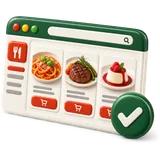 Tacos al pastor$14
11:40 PM
Close out. Tips shared the way you set it.
Card tips and declared cash tips are recorded per server. At close, the tip pool splits by role points or hours, and the report is ready before the last cook clocks out. Managers never touch the pool.
- Points-by-role or hours-based pools
- Close-of-day tip report per person
- Built around federal tip rules
| Staff | Role | Hours | Points | Share |
|---|---|---|---|---|
| Marisol | Server | 7 | 10 | — |
| Duc | Server | 6 | 10 | — |
| Ji-woo | Bartender | 7 | 8 | — |
| Carlos | Busser | 6 | 5 | — |
| Wei | Line cook | 8 | 4 | — |
Illustrative numbers. Set your own roles and points.
Next morning · 9:00 AM
Setting up took one afternoon.
No installer visit. No hardware lease. You sign up online, add your location and menu, and the online store builds itself from the products.
 0 min
0 minSign up and create your business
Name, currency, time zone, logo. Your trial starts at once.
 0 min
0 minAdd the location
Registers, tables, staff and their PINs, receipt layout and taxes.
- 0 min
Add your menu
Type it in or import a spreadsheet. Our menu team can do it for you.
- instant
Your store is live
The online store and QR menu are built from your products automatically.
- Typical total0 min
Where one ticket goes
From the table to the kitchen and back, every hop is on screen.
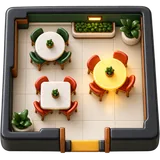 Table 12
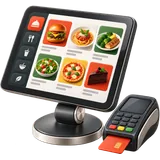 POS
POS- KDS
- Grill
- Wok
- Cold
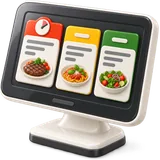 Pass
Pass Served
- 7
- staff-screen languages we set up, including right-to-left Arabic and Urdu
- 3
- countries with local prices and tax: USA, UAE, Pakistan
- 36%
- of US restaurant owners were born outside the US (National Restaurant Association) · source
- 14
- days of free trial, no card required
POS, website and a CRM that texts your guests back.
The Service Bundle adds a managed restaurant website and our GoHighLevel restaurant snapshot to the Full Service POS — review requests, missed-call text-back and booking reminders — for one monthly price.
- Full Service POS
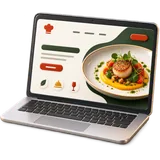 Managed website, synced to your menu
 GoHighLevel CRM with our restaurant snapshot
What owners tell us they want
Sample These are sample reviews written to show the kind of feedback we expect. They are not from real customers yet.
SampleT-07 · Kitchen display SampleT-22 · Languages “My cooks read the tickets in Spanish and I run the office in English. Nobody has to translate a modifier at the window anymore.”
SampleT-31 · Split checks “Big tables split six ways without the server doing math on a napkin. The check matches what each person ordered.”
SampleT-04 · Online ordering “Takeout comes from our own website now. Same menu, same prices, and the order prints with the dine-in tickets.”
SampleT-15 · VAT receipts “Prices show with VAT included, the receipt shows the VAT line, and my team asks questions on WhatsApp and gets answers.”
SampleT-18 · Tip pooling “Service charge and tips are split at close the way we agreed with the staff. No arguments the next morning.”
Three ways in. One price per location.
Pick the POS plan, the website, or the bundle. Switch country to see local prices and tax.
Full Service
Everything a sit-down restaurant runs on a Friday night.
$59per location / month
Sales tax added at checkout where it applies.
- Unlimited registers and kitchen screens
- Floor plan, coursing and fire/hold
- Tips and tip pooling
- Split checks by seat, item or amount
- Bookings and reservations
- Reward points and gift cards
- Staff PINs and service-staff reports
- Auto-generated online store + QR menu
Managed Website
A custom restaurant website we design, host and keep updated, synced to your menu.
$59/mo
Sales tax added at checkout where it applies. · $149 setup
- Custom design for your restaurant
- Menu synced from your POS
- Online ordering button to your store
- Google-ready pages and schema
- Hosting, SSL and monthly edits
Most kitchens pick this
Service Bundle
Full Service POS + managed website + GoHighLevel restaurant snapshot, one price.
$169per location / month
Sales tax added at checkout where it applies. · Setup fee waived
- Full Service POS
- Managed custom website
- GoHighLevel CRM sub-account with our restaurant snapshot
- Review requests, missed-call text-back, reservation reminders
- Website setup fee waived
Questions owners ask before switching
Onboarding desk · usually replies within a business day
What is the best POS system for a small full-service restaurant?
POS Studio
The best restaurant POS system for a small sit-down place handles tables, courses, a kitchen screen, tips and split checks without a long contract. Restaurant POS Studio does all of that from one hosted app, runs on tablets you already own, and is month to month.
Do I have to buy your hardware?
POS Studio
No. It runs in a web browser on iPads, Android tablets and PCs. It works with standard receipt printers, cash drawers, barcode scanners and kitchen screens. Card payments run through your own card processor's terminal.
Is there a contract or cancellation fee?
POS Studio
No contract and no cancellation fee. Plans are month to month, or annual if you want the discount. You can cancel from Settings and keep access until the end of the paid period.
Can my kitchen screen show Spanish or Chinese while I use English?
POS Studio
Yes. Every staff member chooses their own interface language. We set up English, Spanish, Chinese, Korean, Vietnamese, Arabic and Urdu, and you can edit wording yourself.
How long does setup take?
POS Studio
Most owners create the business and location in under ten minutes. Adding a 40-item menu takes about half an hour, or our menu team imports it from your PDF or spreadsheet. The online store builds itself from the menu.
Does online ordering charge a commission?
POS Studio
No per-order commission on your own online store. You pay your plan and your card processing. Delivery apps can still run alongside if you use them.
Can it handle tip pooling legally?
POS Studio
It records tips per person and splits pools by role points or hours, the way you set it. Federal law says owners and managers cannot keep employee tips; we built the pool around that. Check your state rules too.
Do you work outside the United States?
POS Studio
Yes. We sell in the United States, the United Arab Emirates and Pakistan, with local currency, VAT or sales tax settings, receipts and support on WhatsApp in the UAE and Pakistan.
What happens to my data if I leave?
POS Studio
You can export your products, customers and sales reports to spreadsheets at any time. If you cancel, we keep your account readable for 30 days so you can download everything.
Your next Friday could run on this.
Start the free trial tonight, or book a 30-minute demo in your language.
No card for the trial. No contract after it.