
Use the hardware you have, or buy smart
Our POS runs in a browser, so the restaurant POS hardware you need is simple: a tablet or PC, a receipt printer, and a kitchen printer or screen. Most standard ESC/POS printers, cash drawers and keyboard-mode scanners work. We do not sell hardware, so you buy from any supplier and keep what you already own.
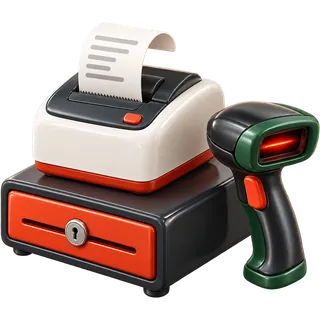
What works, station by station
We do not sell hardware. Use what you own, or buy standard devices from any supplier. Card terminals come from your processor.
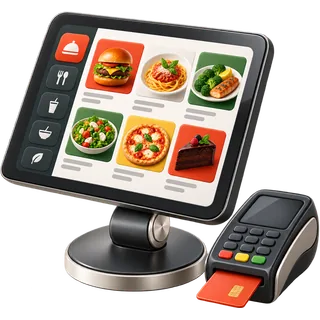
Tablets and PCs
The screens servers and cashiers ring orders on.
Works with
iPads, Android tablets and Windows or Mac PCs with a current browser. A mobile app is also available.
Setup tip
Choose 10-inch or larger screens for the floor. Use a sturdy case and a stand that does not tip when someone taps hard.
Receipt printers
Print guest checks and receipts at the register.
Works with
ESC/POS thermal printers over USB, Ethernet or Wi-Fi. Model families such as Epson TM-series and Star Micronics TSP-series commonly work; confirm on your demo.
Setup tip
Ethernet is the most reliable in a busy room. Keep a spare roll of 80 mm paper at every station.
Kitchen printers
Print tickets at each station: grill, fryer, wok, cold line, bar.
Works with
ESC/POS printers on the network. Impact printers suit hot, greasy lines; thermal printers suit cooler stations. Confirm your model on your demo.
Setup tip
Put a printer at each station that cooks a different part of the order. Label each printer with its station name.
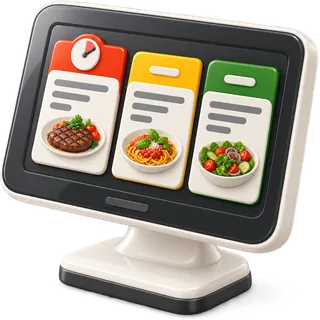
Kitchen screens
Show live tickets with timers, so cooks bump orders instead of reading paper.
Works with
Any tablet, monitor with a small PC, or smart display running a current browser.
Setup tip
Mount screens at eye level, away from fryer splash. Many kitchens start with one screen at expo and keep printers at stations.
Cash drawers
Hold cash and open when a cash payment is taken.
Works with
Standard drawers that connect to the receipt printer by an RJ11/RJ12 cable and open when the printer sends the kick signal.
Setup tip
Check that the drawer cable matches your printer's port. Count the drawer at every shift change.
Barcode scanners
Scan packaged items, retail goods and gift cards.
Works with
USB or Bluetooth scanners in keyboard-wedge mode, which type the code like a keyboard.
Setup tip
Useful for bottle shops, bakeries and grab-and-go fridges. Most full-service dining rooms do not need one.

Label printers and scales
Print item labels and weigh food sold by weight.
Works with
Common label printers and scales used for weighed and labelled items. Confirm your exact model on your demo.
Setup tip
Bakeries, delis and buffets use these most. Test a label with your longest product name before you buy rolls in bulk.
Card readers and terminals
Take card and wallet payments at the table or counter.
Works with
Works with your processor's terminal. Card payments run through your own card processor or acquiring bank.
Setup tip
Ask your processor for a terminal that suits table-side payment. Card data stays with your processor, not on our servers.
What restaurant POS hardware do I actually need?
At minimum, one tablet or PC to ring orders and one receipt printer. A full-service dining room usually adds a kitchen printer or kitchen screen for each station, a cash drawer, and a card terminal from your processor. Barcode scanners, label printers and scales are only for restaurants that sell packaged or weighed items.
Start with the service you run. A forty-seat dining room with one cook line might need two tablets, one receipt printer, one kitchen printer and a cash drawer. A busy room with a bar and three stations needs more printers or screens. Because the POS runs in a browser, you are not locked to one brand of tablet. Use the devices you already own during the free trial and see how they feel in a real service.
Buy more only after the first week, when you know where the bottlenecks are. Buy more only after the first week, when you know where the bottlenecks are. A second printer at the bar or a kitchen screen at expo often helps more than an extra tablet on the floor. Let a real service tell you what is missing.
- One tablet or PC per server station
- One receipt printer at the register
- Kitchen printer or screen per station
- Card terminal from your processor
Kitchen printer or kitchen screen: which should I choose?
Both work, and many kitchens use both. Printers are cheap, simple and survive heat and grease. Kitchen screens show timers, color ticket age and let cooks mark items cooked, which tells the server the food is ready. A common start is one screen at expo with printers on the stations.
Paper tickets get lost, wet or stuck under a plate. Screens do not, and they show how long each ticket has waited. That helps the chef pace the line during a rush. Screens need a good mount and a little training. Some cooks prefer paper they can hold. Ask your team before you replace every printer.
Our kitchen screen works alongside kitchen printers, so you can switch one station at a time. Our kitchen screen works alongside kitchen printers, so you can switch one station at a time. Try a screen at expo for a week, ask the chef what they think, and then decide whether the grill and fryer should move to screens too.
- Printers: simple and heat-tolerant
- Screens: timers and cooked status
- Use both if it suits your line
- Switch one station at a time
Do I have to buy hardware from you?
No. We do not sell hardware. You buy tablets, printers and drawers from any supplier you trust, or reuse what you already have. Card terminals come from your card processor or bank. That keeps you free of leases and of hardware that only works with one software company.
Some POS vendors require their own devices, often on a multi-year lease. When you leave, the devices are useless. With standard hardware, you can keep your printers even if you change software later. Before you buy, check the connection type. Ethernet printers are the most reliable on a busy floor. Wi-Fi and Bluetooth work but can drop when the network is crowded.
Bring your model numbers to the demo. We check them with you and tell you plainly if something is not a good fit. Keep a short list of every device, its model, its connection and where it sits. When something breaks mid-service, that list makes support faster, and it helps a new manager understand the setup on their first day.
- We do not sell hardware
- Reuse standard devices you own
- No leases from us
- Model check on your demo
Hardware questions
Onboarding desk · usually replies within a business day
Will my old POS printers work?
Many do, if they are standard ESC/POS printers. Printers locked to another vendor's software sometimes do not. Send us the model numbers or bring them to the demo and we will check.
Can I use an Android tablet instead of an iPad?
Yes. The POS runs in a current browser on Android tablets, iPads and PCs. Pick a tablet with enough memory and a screen size your servers like.
Do I need internet for the POS?
Yes, the POS is hosted, so a reliable connection matters. Use a business-grade connection, put printers on wired Ethernet where you can, and keep a mobile hotspot as a backup for outages.
How does the cash drawer open?
The drawer plugs into the receipt printer. When a cash payment is taken, the printer sends a signal that opens the drawer. Check that your drawer cable fits your printer's port before you buy.
Which card terminal should I get?
Get the terminal your card processor or bank provides for restaurants. Our POS works with your processor's terminal, and card payments run through them. Ask them about pay-at-table options if you want to take cards at the table.
Can kitchen tickets print in Spanish or Chinese?
Kitchen tickets can show item names in the language your cooks read, when you set those names in the menu. Make sure the printer supports the characters you need; we test this with you on the demo.
Do you lease hardware?
No. We do not sell or lease hardware. You buy from any supplier, which means no hardware contract tied to your software.
Do I need a scale or label printer?
Only if you sell food by weight or print item labels, as bakeries, delis and buffets do. Most full-service dining rooms do not need either. Confirm your exact model on the demo before buying.
Use the tablets you already own.
The free trial runs in any modern browser. Plug in a receipt printer when you're ready.