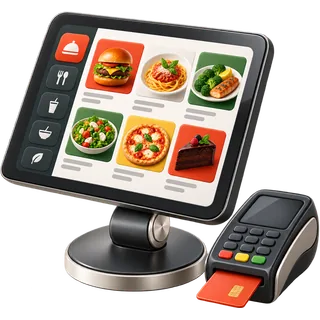
Eight stations, one service
Everything Friday night asks for
These restaurant POS features are built for sit-down service: a floor plan for every table, coursing with fire and hold, kitchen screens with timers, tips and tip pooling, split checks, priced modifiers, an online store from your menu, and screens in your team's language. Pick a station to see how each one works.
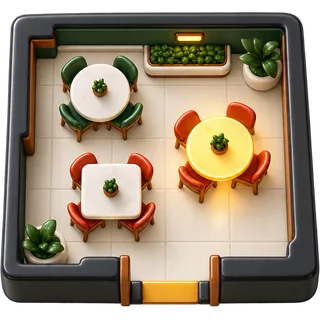 Floor plan & table serviceA restaurant floor plan POS is a point-of-sale where each table on the screen is a live object.
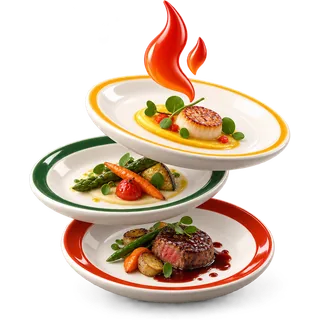 Coursing, fire & holdCoursing splits one order into courses, such as starters, mains and dessert.
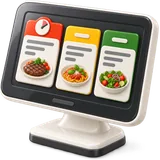 Kitchen display systemA kitchen display system is a screen in the kitchen that shows orders sent from the POS instead of, or as well as, printed tickets.
 Tips & tip poolingTip pooling means the tips staff receive in a shift are collected and shared among eligible staff by an agreed rule, such as points per role or hours worked.
 Split checksA split check divides one table's bill into two or more payments.
 Modifiers & allergy notesMenu modifiers are the choices and changes attached to a menu item, such as steak temperature, side choice, extra cheese or no onion.
 Online orderingCommission-free online ordering is an online store run by the restaurant itself, where guests order directly and the restaurant pays no per-order commission to a marketplace.
 Screens in your languageA multilingual POS lets different users work in different languages on the same system at the same time.
What you get, and what is often an add-on elsewhere
Large vendors often sell some of these as paid add-ons. Here they come with the plan.
| Feature | What you get | Often an add-on elsewhere? |
|---|---|---|
| Floor plan and table service | Tables per location, live status, service staff per order, bookings calendar | Usually included |
| Coursing | Course markers, fire and hold from the POS, rush and re-fire | Included on many full-service plans |
| Kitchen display | Unlimited kitchen screens on Full Service, station routing, ticket timers, cooked-to-serve flow | Extra screens often sold as an add-on by large vendors |
| Tips and tip pooling | Card and declared cash tips per server, pooling by role points or hours, close-of-day report | Tip pooling often sold as an add-on or in payroll tools |
| Split checks | Evenly, by seat, by item or by amount, several payment methods, auto-gratuity | Usually included |
| Modifiers | Forced and optional priced modifiers, allergy flags printed bold | Usually included |
| Online store and QR menu | Built from your POS menu, sold-out sync, no commission from us | Online ordering often sold as an add-on by large vendors |
| Staff languages | English, Spanish, Chinese, Korean, Vietnamese, Arabic and Urdu, chosen per user | Rarely offered by large vendors |
What features does a full-service restaurant POS need?
A full-service POS needs a floor plan with table status, coursing so the kitchen fires mains at the right time, kitchen screens or printers by station, split checks, tips and tip pooling, and priced modifiers with allergy flags. Add an online store, bookings and reports you can read after close, and you have the core.
Counter-service POS systems are built around a line of guests. Full service is built around tables that stay for an hour or more, with several courses, several servers and one check that might be split four ways. That changes what matters. Coursing keeps the kitchen in step with the table. Service-staff tracking keeps tips fair. A floor plan shows the host which tables are about to turn.
Every feature on this page is part of a real service flow, from seating to the tip report. Every feature on this page is part of a real service flow, from seating to the tip report. Open any feature page to try a live demo in your browser, then run the same flow with your own menu in the free trial.
- Floor plan and table status
- Coursing with fire and hold
- Kitchen routing by station
- Split checks and tip pooling
Which features are included and which cost extra?
The core service features, including floor plan, coursing, kitchen screens, tips and tip pooling, split checks, modifiers and the online store, are in the Full Service plan. The Counter plan covers smaller rooms with one register and one kitchen screen. The Group plan adds multi-location reports, HR, payroll, accounting and an API.
Large vendors often sell online ordering, extra kitchen screens and tip tools as add-ons. Each add-on looks small. The matrix above shows where those features usually sit elsewhere, phrased carefully because vendors package plans differently. Our rule is simple: what a Friday night needs is in the Full Service plan. You do not pay more because the kitchen added a second screen.
Plan prices are shown on the pricing page in your currency. Plan prices are shown on the pricing page in your currency. Moving between plans is done in settings, with no new contract. Many owners start on Counter or Full Service and add the Group plan when they open a second location.
- Counter: one register, one kitchen screen
- Full Service: unlimited registers and screens
- Group: multi-location, HR and accounting
- Online store on every plan
Can the features work in my staff's language?
Yes. Each user chooses their own interface language, so the server, the cook and the manager can each read the screens in the language they know best. We set up English, Spanish, Chinese, Korean, Vietnamese, Arabic and Urdu. Kitchen tickets can show item names in the cooks' language.
Language mistakes cost money in a kitchen: the wrong side, a missed allergy, a dish fired too early. When cooks read the ticket in their own language, those mistakes drop. The setting follows the person, not the device. On a shared tablet, each server sees their language after entering their PIN.
Arabic and Urdu screens run right to left. You can edit any translation to match your kitchen's words. If your cooks say "fire" in English but read everything else in Spanish, set it up that way. Kitchen tickets can also show item names in the cooks' language when you add them to the menu, so the line reads every order without guessing.
- Language chosen per user
- Seven languages set up
- Right-to-left Arabic and Urdu
- Editable translations
Running a café, bakery or food truck instead? See every edition on SmartPOS Hub.
Feature questions
Onboarding desk · usually replies within a business day
Which restaurant POS features matter most for a busy dining room?
Coursing, kitchen routing and split checks matter most during a rush. Coursing keeps food timed to the table. Routing sends each item to the right station. Fast split checks free up tables sooner.
Does the Counter plan include coursing and tip pooling?
Coursing, tip pooling and split checks by seat are part of Full Service. Counter covers one register, tables, modifiers, one kitchen screen and the online store. Move up to Full Service any time from settings.
Can I use kitchen printers and screens together?
Yes. Some stations can print while others use screens. Many kitchens put one screen at expo and keep printers at the grill and fryer.
Does the POS take reservations?
Yes. The bookings calendar records the table, staff member, start and end time, and can notify the guest. Hosts see upcoming bookings on the floor plan.
Can I track which server sold each item?
Yes. Service staff are assigned to each order, and you can assign staff per line. Service-staff reports show sales and tips per person.
Are reward points and gift cards included?
They are part of the Full Service plan. Guests earn points on paid checks and can redeem them later. Gift cards can be sold and redeemed at the POS.
Is there an API for my own tools?
API access is part of the Group plan. Use it to connect your own reporting, accounting or ordering tools. Ask on your demo what you want to connect.
Does the POS handle allergies?
Allergy flags on modifiers print in bold on kitchen tickets and show on kitchen screens. Servers add them when ordering. Your team still confirms allergies with the guest.
Can I run HR and payroll from the POS?
The Group plan includes an HR, attendance and payroll module. It records staff hours and pay runs. Check local payroll rules with your accountant before relying on it for filing.
How do I see a feature before I sign up?
Each feature page has a live demo you can click in your browser. For the full system, start the free trial or book a demo and we show it with your menu.
Every station, one screen.
All eight features are on the free trial. No card, no contract.