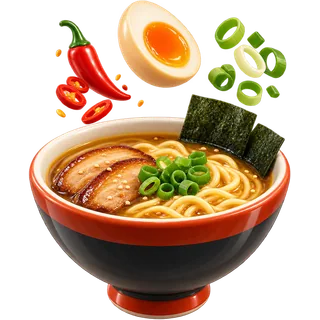
6:20 PM · “no cilantro, extra egg”
POS menu modifiers that get the order right the first time
POS menu modifiers turn a guest's words into a ticket the kitchen can cook from. Restaurant POS Studio supports forced and optional modifier sets, priced add-ons, sizes and variations, and allergy flags that print bold on kitchen tickets. Servers ask the right questions every time, add-ons are charged every time, and the line reads one clear instruction instead of a scribble.
TABLE 7 · SEAT 2 · WOK
1 Ramen
Item total$16
How do menu modifiers work in Restaurant POS Studio?
You create modifier sets, such as Temperature, Choose a side or Add-ons, and attach them to products. Forced sets must be answered before the item is sent. Optional sets can be skipped. Each modifier can have a price. Allergy flags print bold on the kitchen ticket and show under the item on the kitchen screen.
Modifier sets are built once and reused. A Temperature set with rare, medium rare, medium and well done can attach to every steak and burger. A Choose a side set can attach to every main. When you change a price or add a new side, every product using that set updates at once.
Products can also have variations, such as small, medium and large, each with its own price. That keeps sizes out of the modifier list and makes reports clearer. You can add products one by one or import them with modifiers from a CSV or Excel file, and the online store uses the same modifiers automatically.
- Forced modifier sets that must be answered
- Optional modifier sets that can be skipped
- Priced add-ons, such as extra cheese or extra protein
- Variations and sizes with their own prices
- Allergy flags printed bold on kitchen tickets
Who needs forced modifiers, and when do they matter most?
Any menu with choices needs forced modifiers: steak temperatures, sides, sauces, spice levels, noodle types. They matter most on a Friday rush, when a new server forgets to ask how the steak is cooked, the grill shouts across the pass, and the table waits while someone runs back to ask. Forced sets stop that before the ticket fires.
The cost of a missing modifier shows up as a walk back to the table, a question shouted across the line, or a dish cooked wrong and remade. Each one is small. On a busy night they add up to slower tables and more waste. Forced modifiers mean the order cannot be sent until the required question is answered.
Priced add-ons matter for margin. When extra avocado or an added protein is a free-text note, servers often forget to charge it. When it is a priced modifier, the charge happens every time. The same rule applies on the online store, where guests choose their own modifiers without a server.
- Grills and steakhouses: temperature every time
- Asian kitchens: spice level, noodle or rice choice
- Fast-casual and bowls: base, protein, toppings
- Any menu where add-ons are often forgotten
What do menu modifiers cost to run?
Modifiers, modifier sets with prices, variations and allergy flags are included from the Counter plan. There is no modifier add-on. Full Service adds coursing, unlimited kitchen screens, tip pooling and bookings. Group adds multi-location menus, so modifier sets can be shared across locations with central reporting and stock transfers.
The running cost of modifiers is mostly setup time. A full menu with modifier sets takes a few hours to build well, or less if you import from a spreadsheet. When you switch from another POS, menu import is free, so we can bring your products and modifiers across for you.
After setup, modifiers usually earn money rather than cost it. Priced add-ons get charged, remakes from missing questions go down, and product and sales reports show which add-ons sell. Plan prices are on the pricing page, per location per month, month to month, with a 14-day free trial. That is money that used to slip away on busy nights.
- Included from Counter
- Free menu import when you switch
- Shared modifier sets across locations on Group
- Same modifiers on the online store automatically
Why use structured modifiers instead of free-text notes?
Free-text notes are slow to type, easy to misspell, and impossible to price or report on. Structured modifiers are one tap, always spelled the same, carry a price, and print the same way on every ticket. Cooks learn to read them at a glance, even when the kitchen reads a different language from the floor.
A note that says no onoin, xtra sauce on side, med rare pls is readable to the server who typed it. It is less readable to a cook on the line in the middle of a rush, and even less so if English is not their first language. A modifier that prints as NO ONION is the same every time.
Structured modifiers can also be translated. Each user can pick their interface language, so a modifier can show in Spanish or Chinese for the cook and English for the server. Free-text notes stay in whatever language they were typed. Keep notes for real exceptions and use modifiers for everything else.
- One tap instead of typing during a rush
- Same spelling and layout on every ticket
- Priced, so add-ons are always charged
- Can be translated for each user's language
Definition
Forced vs optional modifiers vs free-text notes
| Forced modifier | Optional modifier | Free-text note | |
|---|---|---|---|
| Must be answered before sending | Yes | No | No |
| Example | Steak temperature, choose a side | Add bacon, extra sauce | Birthday, bring candle |
| Can carry a price | Yes | Yes | No |
| Same wording on every ticket | Yes | Yes | Depends on who typed it |
| Shows in reports | Yes | Yes | No |
| Can be translated per user | Yes | Yes | No |
| Best use | Questions every guest must answer | Changes and add-ons | Real one-off exceptions |
Build a modifier set
- List your choicesGo through the menu and list every question a server asks: temperature, side, sauce, spice level, size.
- Build modifier setsCreate sets for each question, mark which ones are forced, and add prices to add-ons that cost extra.
- Attach sets to productsAttach each set to every product that needs it. Use variations for sizes so each size has its own price.
- Add allergy flagsAdd allergy modifiers for common allergens on your menu so they print bold on the kitchen ticket.
- Test on a ticketRing a few complex orders and check the kitchen ticket and screen with the cooks before go-live.
What can go wrong — and the fix
Too many forced modifiers, so servers tap through five screens for a simple salad.
Force only the questions the kitchen truly needs answered. Make everything else optional, and review sets after the first week.
Allergies are typed as notes and missed on a busy line.
Use allergy modifiers, which print bold on kitchen tickets, and train servers never to put an allergy in a free-text note.
Extra protein is added as a free note, so it is never charged.
Make every paid add-on a priced modifier. Check product and sales reports weekly to make sure add-ons are being sold and charged.
Sizes are set up as modifiers, so product reports show one item with confusing totals.
Use variations for sizes, each with its own price, and keep modifiers for choices and add-ons.
Modifier questions
Onboarding desk · usually replies within a business day
What is the difference between a forced and an optional modifier?
A forced modifier must be answered before the item can be sent, such as steak temperature. An optional modifier can be added or skipped, such as extra cheese. Use forced only for questions the kitchen always needs.
Can a modifier add to the price of an item?
Yes. Each modifier can carry its own price, such as extra protein or a premium side. The price is added to the item on the check. It is charged the same way on the online store.
How do allergy notes show up in the kitchen?
Allergy flags print bold on kitchen tickets and show under the item on the kitchen screen. They stand out from normal modifiers. Still train staff to confirm allergies with the guest and the cook directly.
Can I import my menu with modifiers from a spreadsheet?
Yes. You can import products from CSV or Excel, including categories, variations and modifier sets. When you switch from another POS, we import your menu for free. Check a few items after import before going live.
Should sizes be modifiers or variations?
Use variations for sizes, such as small, medium and large, each with its own price. Keep modifiers for choices and add-ons. That keeps product reports clear and pricing easy to change.
Do online orders use the same modifiers?
Yes. The online store is built from your products, prices and modifiers automatically. Forced modifiers must be chosen by the guest before checkout. Priced add-ons are charged online the same way as in the room.
Can my cooks read modifiers in Spanish or Chinese?
Each user picks their interface language, and modifier names can be translated. A cook can read the ticket in their language while the server works in English. Set up translations during menu setup and check them with the kitchen.
Can I reuse one modifier set across many items?
Yes. Build a set once, such as Temperature or Choose a side, and attach it to every product that needs it. Change the set and every product updates. On the Group plan, modifier sets can be shared across locations.
When should a server still use a free-text note?
Use a note only for real one-off requests the menu cannot cover, such as a birthday candle or a seat by the window. Everything the kitchen cooks from should be a modifier. Notes cannot be priced, reported on or translated, so keep them rare.
Which modifiers sell the most?
The product and sales reports show which modifiers are being chosen and charged. Many owners use this to price add-ons better or drop ones nobody orders. Review it after your first few weeks.
Extra egg, no scallion, right every time.
Start the free trial and import your menu with modifiers from a spreadsheet.