9:30 PM · takeout rush
Commission-free online ordering for restaurants, built from your menu
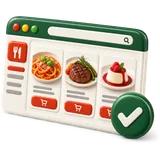
Commission-free online ordering for restaurants means guests order from your own store and the money goes to you, not to a marketplace. Restaurant POS Studio builds that online store automatically from your POS products, prices, photos and stock, and adds a QR contactless menu for the dining room. Orders arrive on the same kitchen screen as dine-in orders, with nothing to retype.
Casa Seoul Kitchen
Open · pickup & delivery
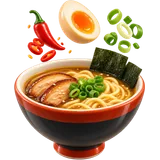 Spicy miso ramen$16
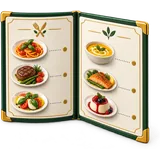 Bulgogi platter$24
 Phở tái$15
 Tacos al pastor$14
What delivery commissions cost you
Move even a share of regulars to your own store and the commission stays in your pocket.
Commission paid now, per month—
Kept each month if that share orders direct—
Illustrative only. Your own store has no per-order commission; card fees from your processor still apply.
How does the online store work in Restaurant POS Studio?
When you add products to the POS, the online store is generated from them automatically, with the same prices, photos, modifiers and stock. Guests order on their phone, pay through your processor, and the order lands on your kitchen screen. A QR contactless menu lets dine-in guests view the menu from the table.
There is no second menu to build. Every product you add to the POS, with its categories, variations and modifier sets, appears on the online store. Change a price in the POS and the store changes too. Mark an item out of stock and guests stop seeing it as available, which avoids the call to say sorry, we are out.
Orders from the store go to the kitchen screen or printer like any other order, routed to the right station and labelled as online. The QR menu works for dine-in guests who want to browse on their phone. If you want a full custom website around the store, the Managed Website offer adds design, hosting and menu sync.
- Store generated from your POS products, prices, photos and stock
- Modifiers and forced choices online, the same as in the room
- QR contactless menu for dine-in tables
- Orders land on the kitchen screen, labelled online
- Payment through your own processor
Who needs their own online ordering, and when does it matter most?
Any restaurant that does takeout or delivery orders should have its own store, even if it also uses marketplaces. It matters most when regulars already know you, because each of their orders through a marketplace pays a commission you could keep. It also matters on a Friday rush, when online orders must reach the line without retyping.
Delivery marketplaces are good at finding new guests. They are expensive for guests who already know you. Marketplace commissions are commonly 15 to 30 percent depending on the plan, so check your own contract. When a regular orders through your own store instead, that commission stays in the restaurant. Over a year it adds up.
The rush problem is just as real. Many kitchens run marketplace orders from a separate tablet, and someone retypes each order into the POS. On a busy night that is where mistakes start. Orders from your own store arrive in the POS already, with modifiers and allergy flags in the right place.
- Restaurants with loyal regulars who order takeout
- Kitchens tired of retyping orders from a separate tablet
- Owners who want guest contact details for their own marketing
- Dine-in rooms that want a QR menu at the table
What does commission-free online ordering cost to run?
The online store and QR menu are included from the Counter plan, with no per-order commission from us. Card payments run through your own processor at its rates. If you want a custom website around the store, the Managed Website or the Service Bundle adds design, hosting, menu sync and edits for a monthly fee plus setup.
Commission-free does not mean free to run. Your processor charges for card payments, and you need to tell guests the store exists, through your Google listing, your receipts, a card in the takeout bag and your social pages. But you are not paying a share of every order to a third party. That is the trade.
If you also want delivery, you can use your own drivers or keep a marketplace for delivery reach while pushing regulars to your store. Plan prices are on the pricing page, per location per month. The Service Bundle combines Full Service POS, a managed website and a CRM with review requests and reminders.
- Included from Counter, no per-order commission from us
- Card fees follow your processor's contract
- Managed Website adds a custom site with menu sync
- Service Bundle adds a CRM with review requests and reminders
Why use your own online store instead of only delivery marketplaces?
Marketplaces bring reach but take a commission on every order, own the guest relationship and set the rules. Your own store keeps the margin, keeps the guest's details with you, and uses the menu you already built in the POS. Most restaurants do best using both: marketplaces for discovery, their own store for regulars.
The biggest difference is who owns the guest. On a marketplace, the guest is the platform's customer. You often cannot contact them again, and your menu sits next to every competitor nearby. On your own store, the order and the guest belong to you, so a reward point or a thank-you message is possible.
There is a practical difference too. Your own store uses your POS menu, so prices, photos and stock are always the same in both places. Marketplace menus are usually kept up by hand. When a price changes, it is easy to forget one of them and sell at the old price for weeks.
- Keep the margin on every direct order
- Keep guest details for rewards and follow-up
- One menu in the POS, no second menu to maintain
- Use marketplaces for discovery if they help you
Your own online store vs delivery marketplaces
| Your own store from the POS | Delivery marketplace | |
|---|---|---|
| Per-order commission | None from us; card fees from your processor | Commonly 15 to 30 percent depending on plan; check your contract |
| Who owns the guest | You do | Usually the platform |
| Menu upkeep | Same menu as the POS, updated once | Separate menu, kept up by hand |
| Orders into the kitchen | Straight to the kitchen screen | Often a separate tablet, retyped |
| Finding new guests | You bring the traffic | Strong discovery inside the app |
| Delivery drivers | Your own drivers or pickup | Provided by the platform |
Go live with online orders
- Finish your POS menuAdd products with categories, prices, photos, variations and modifier sets. The store uses all of them.
- Check stock settingsTurn on stock for items that can run out, so guests do not order a dish you no longer have.
- Set up paymentConnect card payments through your processor, and decide whether you also accept pay at pickup.
- Place the QR menuPrint the QR code for dine-in tables and the takeout counter, and add the store link to your Google listing.
- Test an orderPlace a real test order from a phone and check it lands on the right kitchen station with the right modifiers.
What can go wrong — and the fix
The store goes live but nobody knows it exists, so all orders still come through marketplaces.
Put the store link on your Google listing, receipts, takeout bags and social pages, and tell regulars at the counter.
A sold-out dish stays orderable online, and the kitchen has to call guests.
Use stock on items that can run out, and have the kitchen mark an item out the moment it is gone.
Online orders print at the wrong station or with modifiers missing.
Place a full test order with modifiers and allergy flags before launch, and check each station's screen.
Menu photos are dark phone shots, so the store looks worse than the food.
Take photos in daylight on a plain surface, starting with your top sellers, and replace the rest over time.
Online ordering questions
Onboarding desk · usually replies within a business day
Do you take a commission on online orders?
No. We do not charge a per-order commission on your online store. Card payments run through your own processor at its rates. Your plan price covers the store.
Do I need to build a separate online menu?
No. The store is built from your POS products, prices, photos, modifiers and stock automatically. Change something in the POS and the store follows. There is only one menu to keep up.
How much do delivery apps usually charge?
Marketplace commissions are commonly 15 to 30 percent per order depending on the plan you choose, plus other possible fees. Check your own contract for exact numbers. That is why many restaurants push regulars to their own store.
Can I keep using delivery apps as well?
Yes. Many restaurants use marketplaces for new guests and their own store for regulars. Your own store does not stop you from listing elsewhere. Just keep your prices and menu in step.
What is the QR menu for?
The QR contactless menu lets dine-in guests view your menu on their phone from the table. Print the code on table cards or the takeout counter. It uses the same menu as the POS.
Can guests pay online when they order?
Yes, through your card processor. You can also choose to accept payment at pickup. Card data stays with your processor when you use an integrated payment option.
Do online orders go straight to the kitchen?
Yes. Orders from your store arrive on the kitchen screen or printer, routed to the right station and labelled as online. Nobody retypes them. Modifiers and allergy flags arrive in the right place.
Can I get a full website, not just an order page?
Yes. The Managed Website offer adds a custom restaurant website that we design, host and keep updated, with your menu synced from the POS and an order button to your store. It has a monthly fee and a setup fee. The Service Bundle includes it with Full Service POS.
Does online ordering work for restaurants in the UAE and Pakistan?
Yes. The store uses your business currency and tax settings. In the UAE it works with cards and Apple Pay through your acquirer. In Pakistan it works with cards through your bank, and with JazzCash, Easypaisa or bank transfer depending on how you take payment.
Can I stop online orders during a rush?
Mark items out of stock or pause items the kitchen cannot make at that moment. Plan this before a busy night so the team knows who can do it. It is better than accepting orders the line cannot cook on time.
Takeout with no commission.
Add your menu on the free trial and your store builds itself.