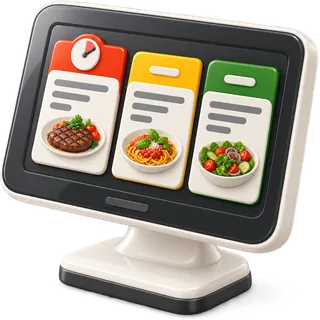
7:40 PM · peak rush
A kitchen display system for restaurants that keeps the line on time
A kitchen display system for restaurants puts every ticket on a screen at the station that cooks it. Cooks see what to make, how long it has been waiting and what is coming next. When a dish is cooked they mark it, and the server sees it is ready to run. Restaurant POS Studio runs the KDS in a browser on a tablet or PC, next to your printers or instead of them.
- T12GRILLC2
- Bulgogi platter
- Galbi ×2
- no sesame
0:00Cooked — on server screen
- T07WOKC1
- Kung pao chicken
- Garlic gai lan
- ALLERGY: peanut
0:00Cooked — on server screen
- T18FRYC1
- Calamari
- Yuca fries ×2
0:00Cooked — on server screen
- ONLINECOLDTO-GO
- Gỏi cuốn ×3
- Green papaya salad
0:00Cooked — on server screen
Kitchen printer or kitchen screen?
A kitchen display system is a screen in the kitchen that shows orders sent from the POS instead of, or as well as, printed tickets. Each station sees its own items with a timer. Cooks mark items as cooked, which tells front of house the food is ready to serve.
| What you need | Kitchen printer | Kitchen display system | Both together |
|---|---|---|---|
| Ticket reaches the right station | Yes, if routed to that printer | Yes, routed by product | Yes |
| See how long a ticket has waited | Read the printed time | Live timer on screen | Timer on the screen side |
| Tell the server food is ready | Walk out or call it | Mark cooked, server sees it | Screen side handles it |
| Survives heat, grease and steam | Paper smudges and curls | Needs a mounted, protected screen | Printers where screens struggle |
| Running cost | Thermal paper and repairs | Device and power | Some of each |
| Bag tickets for takeout | Easy to staple to a bag | Needs a printer for paper | Printer at the pack station |
| Record for review after close | None once thrown away | Ticket and cooked times saved | Saved on the screen side |
Station routing, ticket by ticket
Each item goes to the station that cooks it. The pass sees the whole table.
 POS
POS- Kitchen display
- Grill
- Wok
- Fry
- Cold
- Bar
 Expo / pass
 Server's Orders screen
How does the kitchen screen work in Restaurant POS Studio?
When a server sends an order, its items appear on the kitchen screen for the station that cooks them, with a timer from the moment they were sent. Cooks mark items cooked when they are plated. The order then shows on the server's Orders screen as ready to serve, so food does not sit at the pass while nobody knows.
Each product is routed to a station, such as grill, fry, wok or cold. A burger with fries can show the patty on grill and the fries on fry. The station screen shows only what that station needs to cook, in order, with the oldest ticket clearly marked. Modifiers and allergy notes show on the line under the item.
The cooked step is what closes the loop. Without it, a plate waits under the heat lamp until a server happens to walk past. With it, the server's Orders screen shows the table is ready. Kitchen screens also work alongside kitchen printers, so you can keep a printer on the bar or expo while the line moves to screens.
- Station routing: each item goes to the station that cooks it
- Ticket timers from the moment the order is sent
- Mark cooked, and the server sees it is ready to serve
- Modifiers and allergy flags shown under each item
- Runs in a browser on a tablet, PC or wall screen
Who needs a KDS screen, and when does it matter most?
A KDS helps any kitchen with more than one station, a loud line, or tickets that go missing. It matters most on a Friday rush, when paper tickets pile up on the rail, grease and steam smudge them, and nobody can tell which table has been waiting longest. Timers and station routing make the rush visible.
Small kitchens with one cook and a slow lunch can work well on paper. The trouble starts when the line splits into stations and orders come from the floor, the bar and the online store at the same time. A printer prints everything in one place, and someone has to read, tear and hand out each ticket.
On a busy night the kitchen screen answers three questions at once: what do I cook next, how long has it waited, and what is coming. The chef can call the line from the oldest ticket. Online orders land on the same screen as dine-in orders, so takeout is not a separate pile.
- Multi-station lines: grill, fry, wok, cold, pastry
- Loud or hot kitchens where paper gets lost or smudged
- Kitchens that take dine-in and online orders together
- Teams that read different languages on the same line
What does a kitchen display system cost to run?
The Counter plan includes one kitchen screen. Full Service and Group include unlimited kitchen screens, so you can put one at every station and one at expo. There is no per-screen fee. The hardware is any tablet, PC or monitor that runs a modern browser, mounted where heat and splashes cannot reach it.
Many KDS products charge per screen or need their own branded hardware. Here a kitchen screen is a browser window, so the cost is the device you choose. A mid-range tablet in a wall mount works at most stations. A larger monitor with a small PC works well at expo where the chef reads from a step back.
The other cost is paper. A kitchen printer uses thermal rolls every week, and a jammed printer during service costs more than the paper. You can keep printers where they help and use screens where they help more. Plan prices are on the pricing page, month to month, with a 14-day free trial.
- Counter: 1 kitchen screen included
- Full Service and Group: unlimited kitchen screens
- Any tablet, PC or monitor with a browser
- Keep kitchen printers where they still make sense
Why replace the kitchen printer with a KDS, or run both?
Printers are cheap and simple, but tickets get lost, smudged and out of order, and they give no timer or ready signal. A KDS adds timers, station routing and a cooked step back to the server. Many kitchens run both: screens on the line, a printer at the bar or for takeout bag tickets.
The choice is not all or nothing. A good first step is one screen at the busiest station, often grill or wok, while the printer keeps running everywhere else. After a few services the team usually knows where screens help and where paper is still faster, such as a bag ticket stapled to a takeout order.
What a printer cannot do is talk back. It prints and forgets. The kitchen screen knows when a ticket arrived, how long it has waited and when it was cooked. That information goes to the server and into your reports, so you can see after close which station slowed the night.
- Screens: timers, routing, cooked signal, nothing to lose
- Printers: cheap, fast, good for bag and bar tickets
- Run both in the same location as you switch
- Start with the busiest station and expand from there
Set up your kitchen screens
- Map your stationsList the stations your line actually has, such as grill, fry, wok, cold and expo, and name them the way the cooks do.
- Route each productAssign each product to the station that cooks it, so items split across screens the right way.
- Mount the screensPut a tablet or monitor at each station at eye level, away from fryer splash and direct heat, with good Wi-Fi.
- Run a test ticketSend a few test orders with modifiers and an allergy note, and check each station sees only its own items.
- Use cooked during serviceCooks mark items cooked as they plate. Servers watch their Orders screen and run the food when it shows ready.
What can go wrong — and the fix
The screen is mounted above the fryer and gets coated in grease within a week.
Mount screens to the side of heat sources, at eye level, and use a splash-proof case or a wall mount with a cover.
Every item shows on every screen, so cooks ignore the screen.
Route each product to one station before go-live and test with a mixed order. Cooks trust a screen that shows only their work.
Cooks forget to mark items cooked, so servers never see food is ready.
Make marking cooked part of plating, and have expo check the screen for old tickets during the first weeks.
Kitchen Wi-Fi is weak behind the walk-in, and the screen lags.
Test signal at each station during a busy hour, and add an access point or a wired connection for the kitchen screens.
Kitchen display questions
Onboarding desk · usually replies within a business day
Can I use a regular tablet as a kitchen screen?
Yes. The kitchen screen runs in a browser, so most current iPads, Android tablets and PCs work. Mount it at eye level and away from the fryer. A larger monitor with a small PC works well at expo.
Can I keep my kitchen printer and add a screen?
Yes. Kitchen screens work alongside kitchen printers in the same location. Many restaurants put a screen on the busiest station first and keep printers elsewhere. You can switch more stations over as the team gets used to it.
How many kitchen screens can I have?
Counter includes one kitchen screen. Full Service and Group include unlimited kitchen screens. There is no per-screen fee, so you can add one for each station and one for expo.
Do online orders show on the same kitchen screen?
Yes. Orders from your online store arrive on the kitchen screen like any other order, routed to the right station. The line does not need a separate tablet for online orders. They are labelled so the team knows they are takeout.
Will cooks see allergy notes clearly on the screen?
Allergy flags show under the item they belong to, and print bold on kitchen tickets. Train servers to use the allergy modifier instead of a free-text note. Ask cooks to confirm allergy items before plating.
Can each cook read the kitchen screen in their own language?
Each user can pick their interface language, and we set up English, Spanish, Chinese, Korean, Vietnamese, Arabic and Urdu. Menu item names can have translations too. Check your menu items in each language during setup.
What happens if the internet drops during service?
The kitchen screen needs a connection to receive new orders. Keep a kitchen printer as a backup on at least one station and test your Wi-Fi at every screen before go-live. A second internet line or a mobile hotspot is a common safety net.
How does the server know the food is ready?
When a cook marks items cooked, the order shows as ready on the server's Orders screen. The server runs the food without waiting for a call from the pass. That is the step a printer cannot do.
Can the kitchen screen show ticket times for each order?
Yes. Each ticket shows a timer from the moment it was sent, so the oldest ticket is easy to spot. Chefs use this to call the line during a rush. It also helps after close when you review which station slowed down.
Does the KDS work with coursing and fire and hold?
Yes, on Full Service and Group. Held courses wait and fired courses appear at the station with a timer. Rush and re-fire are shown on the ticket so the line knows what to push first.
No ticket falls off the rail.
Start the trial and turn a spare tablet into a kitchen screen tonight.