KDS vs Kitchen Printer: Which Fits Your Line?
KDS vs kitchen printer, honestly compared: speed, heat and grease, station routing, bump bars, outages, costs, and when a hybrid setup makes sense.
Key takeaways
- A kitchen printer is simple, cheap to replace and works in heat and grease, but paper cannot update, time itself or report back.
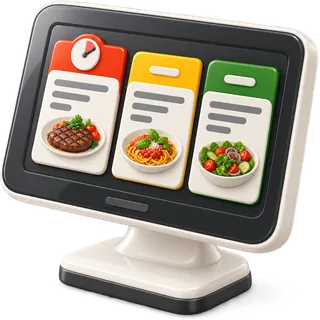
- A kitchen display system (KDS) updates tickets in place, times every order and shows held and fired courses, but it needs power, network and a good mount.
- Many full-service kitchens do best with a hybrid: screens on the line and a printer at expo or as a backup.
- Plan for outages before you choose: know what happens to orders when the network or power drops.
- Compare the full cost, including mounts, bump bars, spare units and paper, not just the screen or printer itself.
Every order on the floor has to reach the line. For decades that meant a thermal printer and a ticket rail. Today many kitchens use screens. This guide compares KDS vs kitchen printer setups honestly, with the pros and cons of both. It covers speed, heat and grease, station routing, bump bars, ticket timers, outage plans, and the cost categories to budget for. It is written for owners and chefs of independent full-service restaurants who want a kitchen that holds up on a Friday night.
In short: A printer is simple, cheap and tough, but paper cannot update or time itself. A kitchen display system (KDS) updates tickets in place, times orders and handles coursing well, but it needs power, network and good mounting. Many full-service kitchens use a hybrid. Plan for outages first, and compare full costs, not just the device.
KDS vs kitchen printer: what is the real difference?
The real difference is that paper is fixed and a screen is live. A printed ticket shows the order as it was when it printed. A kitchen display shows the order as it is now, with changes, timers and course status. That one difference drives most of the pros and cons below.
How a kitchen printer works
The server sends an order. A thermal or impact printer at each station prints a slip with that station’s items. The cook hangs it on the rail, cooks, and pulls it when the plate goes to the pass. If the server changes the order or fires the next course, a new slip prints. The cook matches it to the first one by table number.
How a kitchen display system works
The server sends an order. A screen at each station shows that station’s items as a ticket. A timer starts. When the server fires the next course, the ticket updates in place. The cook taps the screen or presses a bump bar when an item is done. Expo sees the whole order and bumps it when it goes out. The POS records when each step happened.
What are the pros and cons of each?
Printers win on simplicity, toughness and low replacement cost. Screens win on live updates, timing, coursing and reports. Neither is better for every kitchen. Look at your menu size, how often orders change, how hot your stations are, and how much you want to measure.
| Kitchen printer | Kitchen display (KDS) | |
|---|---|---|
| Learning curve | Very low; everyone knows a ticket | Low to medium; cooks learn to bump |
| Order changes | New slip; cook must match by hand | Ticket updates in place |
| Coursing (hold/fire) | Separate fire slip | Held and fired shown on one ticket |
| Ticket timing | None; rail order only | Timer on every ticket |
| Allergy and mods | Printed; can be missed on a long slip | Can be highlighted with color |
| Heat and grease | Tough, but paper can curl and fade | Needs a good mount and a protective case |
| Ongoing supplies | Paper rolls, ribbon for impact printers | Few; screen cleaning |
| Outage behavior | Can still print on local network if the POS supports it | Same; depends on the system |
| Reports | None from the device | Cook times, ticket times by station |
| Noise | Printer sound alerts cooks | Silent unless chimes are set |
| Replacement cost category | Low | Medium to high |
When a printer is the better choice
- Your menu is small and orders rarely change after they are sent.
- Your stations are very hot, wet or tight on space.
- Your team has used paper for years and turnover is low.
- You want the lowest cost to start and to replace.
When a KDS is the better choice
- You course most tables and fire mains from the floor.
- Orders change often: added sides, swapped mods, allergies.
- You want to know how long tickets take by station.
- Paper on the rail gets lost, smudged or mixed up on busy nights.
- Your cooks read a different language from your servers, and you want each screen in the cook’s language.
What is a hybrid kitchen setup?
A hybrid setup uses screens and printers together. The most common version puts screens on the hot line and a printer at expo or the bar. Another version runs screens day to day and keeps a printer ready as a backup. Hybrids give you live tickets where they help most and paper where it is safer.
Common hybrid layouts:
| Layout | Screens | Printers | Good for |
|---|---|---|---|
| Line screens, expo printer | Grill, sauté, fry | Expo prints the full ticket to stage plates | Kitchens with a strong paper expo habit |
| Line screens, bar printer | All kitchen stations | Bar prints drink orders | Busy bars that prefer paper |
| Screens with printer backup | All stations | One printer that takes over on failure | Owners who want a safety net |
| Printer on hot station only | Cold, pastry, expo | Fryer or wood-fire station | Stations too hot for a screen |
To run a hybrid well, your POS must be able to send the same order to a screen and a printer at once, or to switch a station from screen to printer quickly.
How does station routing work?
Station routing means each menu item is assigned to the station that makes it. When an order is sent, the POS splits it so the grill sees grill items, the fry station sees fry items, and expo sees the whole ticket. Good routing is the base of a calm line, whether you print or use screens.
Set up routing step by step:
- List your stations. For example: grill, sauté, fry, cold, pastry, bar, expo.
- Assign every menu item to a station. Do not leave any item without one.
- Handle split items. A steak with fries goes to grill and fry. Make sure each station sees its part.
- Send modifiers with the item. “No onion” must reach the station that adds onion.
- Give expo the full ticket. Expo needs every item to stage the course.
- Test with real orders. Ring in ten common orders and check each station.
- Review after the first week. Fix any item that went to the wrong place.
If your menu has many modifiers, test them as part of routing. A modifier that prints at the wrong station is as bad as a lost ticket.
Do I need bump bars and ticket timers?
Bump bars and ticket timers are KDS tools. Bump bars let cooks control a screen with wet or gloved hands. Ticket timers show how long each order has waited and often change color as it ages. Neither is required, but both help a busy line work faster and with fewer missed plates.
Bump bars
A bump bar is a small, sealed keypad. Cooks press keys to move between tickets, mark items done, and bump finished orders. Bump bars keep grease off the screen and work where a touch screen would be hard to use. Touch screens work fine at cleaner stations like cold or pastry.
Ticket timers
A timer starts when a ticket reaches the station, or when a held course is fired. Many systems color tickets by age: normal, getting old, late. This helps the expo see which table to push. Timers also give you data. After a month, you know how long your grill takes on a Friday and can plan staffing.
How do heat, grease and space affect the choice?
Kitchens are hard on electronics. Heat, steam, grease and splash shorten the life of screens and printers. Mount every device away from direct heat and above splash height, use a protective case for screens, and clean them daily. Plan the space before you buy, not after.
- Heat: keep screens out of the path of hot air from ovens and fryers. Heat causes screens to dim and fail.
- Grease: grease builds up on screens and inside printers. Wipe screens daily with a safe cleaner. Keep printer covers closed.
- Steam and splash: mount above the splash line and away from dish areas.
- Space: a screen needs a wall or shelf mount at eye level. A printer needs a shelf and space for the paper to feed.
- Power: each device needs a safe outlet, away from water, with cords tied out of the way.
Thermal paper can also fade with heat. If tickets fade before the plate goes out, move the printer or use a different paper.
What is your plan when the power or network goes down?
Write an outage plan before you choose a system. Know what works when the internet drops, when the local network drops, and when the power goes out. Test each case during a quiet hour. A good plan keeps orders moving with screens, printers or paper until service is back.
Ask your vendor these questions and test each one:
| Outage | Question to ask | Backup plan |
|---|---|---|
| Internet down, local network up | Do the floor terminals still send to the kitchen? | Keep orders on the local network if supported |
| Local network down | Can one device print directly to a printer? | Backup printer on a direct connection, or paper tickets |
| Power out | How long do batteries last on tablets and screens? | Battery packs for key devices; paper pads and pens |
| One screen fails | Can its station switch to another screen or printer? | Spare screen or a backup printer for that station |
| Card terminal offline | Does your card processor support offline payments? | Check with your processor; take cash or hold checks |
Keep a box at the pass with paper tickets, pens and a printed menu with item numbers. Train the team on the paper plan once a quarter. It takes ten minutes and saves the night.
What does each setup cost?
Costs fall into a few categories for both setups: the devices, mounts and cases, input tools like bump bars, supplies like paper, software fees, spare units and installation. Compare the full list, not just the price of one screen or printer. Ask each vendor whether their kitchen software is included or billed per screen.
| Cost category | Kitchen printer | KDS |
|---|---|---|
| Device | Printer per station | Screen or tablet per station |
| Mounts and cases | Shelf | Wall or arm mount; protective case |
| Input tools | None | Bump bar (optional) |
| Supplies | Paper rolls; ribbon for impact printers | Screen cleaner |
| Software | Usually part of the POS | Sometimes a per-screen fee |
| Network | Cable or wireless to each printer | Cable or wireless to each screen |
| Spares | One spare printer | One spare screen |
| Install and setup | Low | Medium |
If you are budgeting for a full system, our guide to the real cost of a restaurant POS lists every line item to ask about. For device choices, see the hardware page.
How does coursing change the choice?
Coursing favors screens. When servers ring in the full order and fire courses later, a screen can show held and fired items on one ticket. A printer must print a new fire slip, and the cook must match it to the first one. For kitchens that course most tables, this is often the deciding factor.
In Restaurant POS Studio, the kitchen display system shows each order with its course status, so held mains stay visible but clearly not fired. When the server fires from the table, the ticket updates and the status moves from cooked to served as the expo bumps it. For more on running courses well, read coursing a table in a restaurant.
How do I choose for my restaurant?
Start with your menu, your stations and your team. Count how often orders change after they are sent, how many tables you course, and how hot each station runs. If changes and coursing are common, lean toward screens. If your menu is simple and stations are hot, a printer may serve you better.
- Map your stations. Note heat, splash and space at each one.
- Count order changes. Look at a week of voids, adds and mods.
- Count coursed tables. If most tables are coursed, screens help most.
- Ask your cooks. They use it every night. Their view matters.
- Write the outage plan. Decide what keeps working when things fail.
- Price the full setup. Use the cost categories above.
- Run a trial. Put one screen on one station for two weeks before you change the whole line.